Mob Hub is a macOS app for scrcpy. Plug in your Android devices, see them all update live, and control several at once from a single window.
Unofficial project — not affiliated with or endorsed by Genymobile or scrcpy.
Seven things, all built around the same job: watching and driving more than one device without juggling windows.
Mob Hub polls adb every 1.5 seconds, so devices you plug in or disconnect — over USB or Wi-Fi — show up without you refreshing anything.
Click a device for a native scrcpy window, arranged beside the app. Click + instead to pull that screen into the in-app grid, decoded straight from the scrcpy server over adb.
| Mode A: scrcpy window | Mode B: in-app grid | |
|---|---|---|
| Runs | Installed scrcpy binary | scrcpy-server, pushed via adb |
| Video | SDL window | H.264 → WebCodecs → canvas |
| Control | All scrcpy controls | Tap, swipe, keys, screenshot |
Press Cmd+Shift+T on a tile, then drag a box over text or a QR/barcode — or just click to read the whole screen. Apple Vision recognizes it and the result lands straight on your Mac clipboard.
Copy something the normal way on a device in the grid — a chat message, a code, a link — and it's on your Mac clipboard right away. No shortcut needed; turn it off in Settings if you'd rather keep clipboards separate.
The camera button on a tile saves a PNG straight from adb screencap to your Desktop (or a folder you set) and copies it to the clipboard. Screens an app protects, like banking or DRM video, come out black — that's the device, not a bug.
Turn on Sync control and whatever you do to one device in the grid — a tap, a swipe, Home, Back — happens on all of them at once.
Cmd+C, Cmd+A, Cmd+X, Cmd+Z and Cmd+Y reach the device as Ctrl shortcuts. Cmd+V pastes your Mac clipboard. Cmd+Q, Cmd+W and Cmd+Tab stay on the Mac — and holding a key repeats it on the device instead of popping up the accent picker.
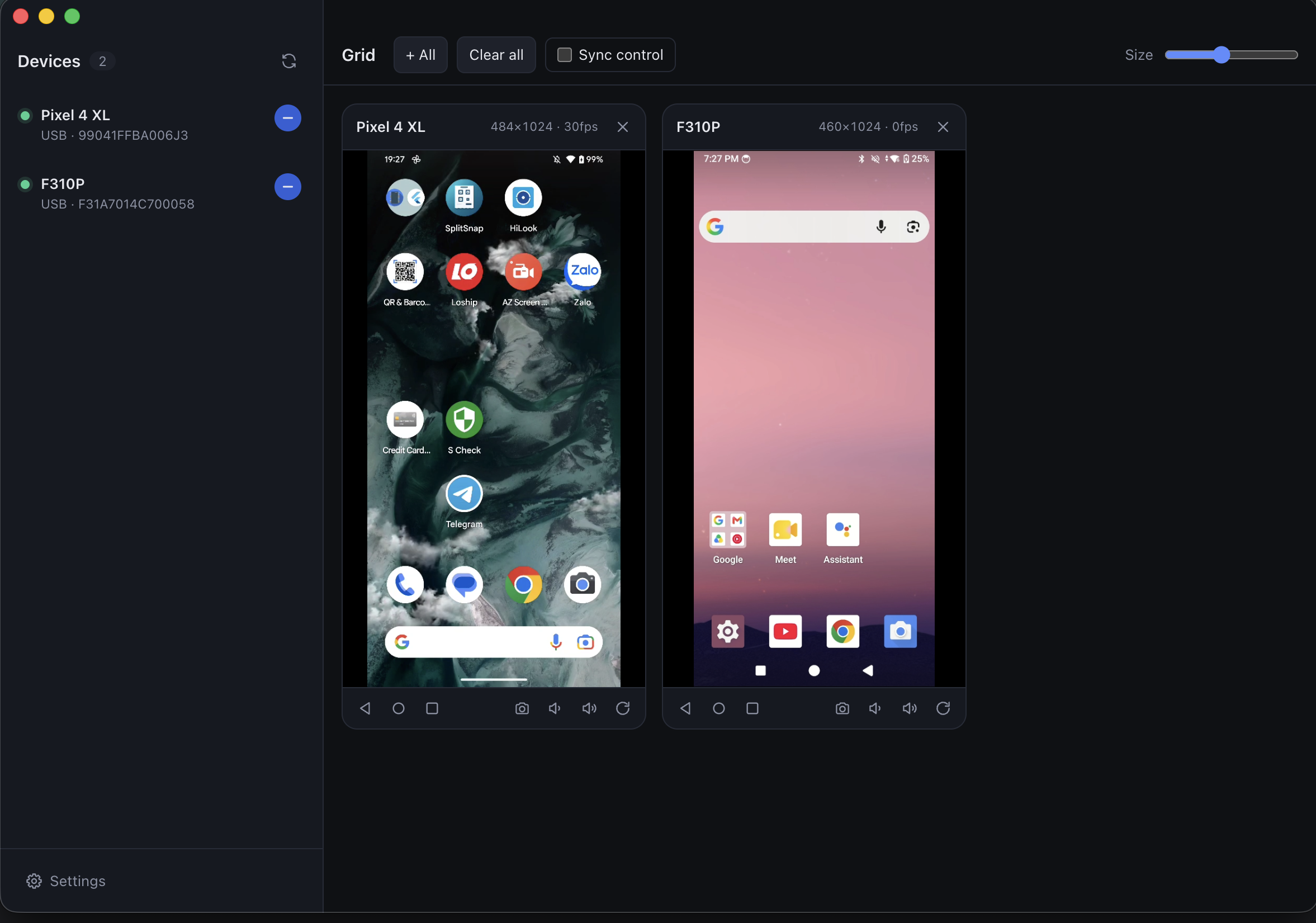
Two devices in the grid, controlled from the same window.
# 1. scrcpy + adb
brew install scrcpy android-platform-tools
xcode-select --install   # to build the Copy text OCR helper

# 2. clone and run
git clone https://github.com/yendangn/mob-hub.git
cd mob-hub
npm install          # downloads scrcpy-server + builds the OCR helper
npm run dist:mac      # builds .dmg into dist/
The .dmg isn't signed or notarized. On first launch, right-click the app in Applications and choose Open, or run xattr -dr com.apple.quarantine "/Applications/Mob Hub.app".
If the app can't find adb or scrcpy, it opens Settings so you can set the paths yourself.
 mob-hub